
Table of contents
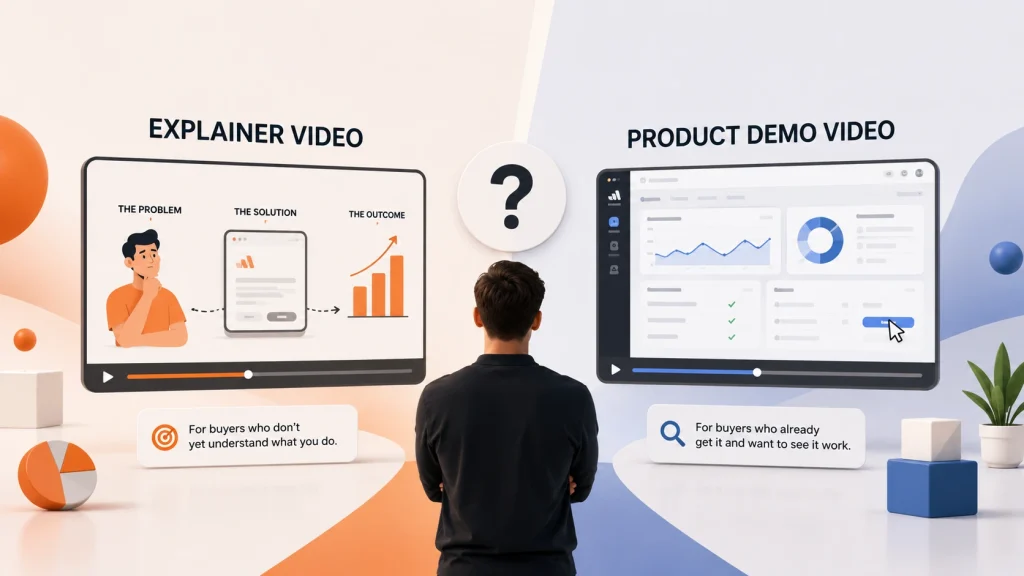
If you’re searching for the best explainer video examples in 2026, you’ll notice they all have one thing in common. They’re designed to explain a product clearly, not overwhelm the viewer with features.
Because there’s nothing worse than having a potential client click play on your explainer video, watch the whole thing, and still not understand what your product does.
That’s why explainer videos are so important.
Below is a list of 15 B2B explainer videos worth watching before launching your next project.
Let’s take a look.
Key Takeaways:
| Great B2B explainer videos prioritize clarity over creativity | The strongest examples focus on helping buyers understand the product quickly, not impressing them with visuals |
| The best explainer video style depends on placement | Homepage, product page, sales follow-ups, and ads each require different pacing, structure, and depth |
| High-performing explainer videos focus on one core idea | Trying to explain everything at once leads to confusion and lower engagement |
| Most effective B2B explainer videos are 60–90 seconds long | This range balances clarity and attention span for SaaS and tech buyers |
| Strong explainer videos start with a recognizable problem | Buyers stay engaged when they immediately see themselves in the scenario |
15 best explainer videos worth watching
1. Apple – Promo video
Industry: Tech
Apple’s promo video is a great example of how to explain your plan and vision without overwhelming the viewer. The visuals and voiceover brings excitement that holds attention throughout the entire video.
Use this video if:
- You need visual support for each point
- You don’t want to look & sound corporate
- You’re looking to stand out in a crowded market
2. Studio Monday – “Who is Studio Monday?”
Industry: Video marketing
In 90 seconds, Studio Monday explains who they’re and if their services are a fit for their customers. The video was designed to show the Founder of the company along with attention grabbing text and graphics.
Use this video if:
- You’re looking to grab attention quickly
- You need introduce someone on camera
- You need to build trust
3. Eleven Labs
Industry: AI
This explainer video opens up with a statement that is very true in the AI industry. Then paired with the right voiceover actor to guide the viewer through a complex topic in a way that feels clear and approachable.
Use this video if:
- Your product is highly technical
- You want a confident voiceover to establish trust in a crowded market.
- Your product replaces multiple tools or workflows
4. Dropbox – Animated explainer video
Industry: SaaS
Dropbox leans into showing their product through the lens of their different audience, but in a controlled way. The voiceover and visuals stay in sync, helping viewers understand the future of Dropbox.
Use this video if:
- You want to showcase your product in real scenarios
- You want animated characters to represent your audience
- You want a creative and fun style
5. Notion – Product Launch video
Industry: SaaS
Notion brought some exciting music instead of voiceover to keep users engaged instead of using a traditional voiceover. The structure is exciting, and memorable without feeling boring.
Use this video if:
- You want to build excitement around your product launch
- You want viewers to dance a little while they watch
- You’re looking to stand out among your competitors
6. Modus – Product Launch Video
Industry: SaaS
This product launch video introduces viewers through the product features. Even at a longer runtime, the music choice ensures users stay until the end.
Use this video if:
- Like the music choice
- You want your audience to watch the entire video
- You want your product launch to look exciting
7. Slack – Product demo video
Industry: Tech
Slack starts by clearly showing how to use their product once onboarded. From there, it walks through how it works and what you can do.
Use this video if:
- You want a short how to video
- You want to onboard customers easily
- You want an easy-to-follow walkthrough
8. Google Gemini – Product launch video
Industry: Tech
This video shows people using the product in real situations. The music selection was a great touch, using a song people are familiar with.
Use this video if:
- You want people as your use cases
- You want people to stop scrolling
- You want a high production look and feel.
9. Hubspot – Product explainer video
Industry: SaaS
Hubspot introduces users to their platform through a calm and guided tone. This video style is right for any company looking for a simple and easy to follow walkthrough.
Use this video if:
- You’re looking for balanced visuals and narration
- You want your audience to learn clearly.
- You a simple animation style
10. Lovable – Product launch video
Industry: AI
This product launch video gives viewers a quick overview of each feature.
Use this video if:
- You want a clear structure
- You want to showcase multiple features
- If the animation style fits your vision
11. Zoom – Explainer video
Industry: SaaS
Zoom opens with common video management frustrations before introducing the product. That alone makes the solution feel immediately relevant.
Use this video if:
- You have a relatable opening
- You want a calm and engaging video
- You want to showcase your audience in the video
12. Uber – Animated explainer video
Industry: Tech
Uber went with an animated explainer video with characters instead of showing their App. This is a great way to connect with your audience.
Use this video if:
- You want to connect with your audience
- You want to showcase more than inside your platform
- You’re looking for a style that represents your brand
13. Ramp – Explainer video
Industry: Fintech
Ramp video style is unique in its own way. Having their employees be on screen, with a mix of different voiceovers and product UIs makes it the perfect choice for brands to stand out.
Use this video if:
- You want to be unique
- You want to build trust
- You want people to click that call to action
14. Miro – Video ad
Industry: Software
Miro started off their video with AI generated content, which is a new cost effective strategy in video production.
Use this video if:
- You want to include have AI generated content that stands out
- You want strong visual support
- You want your Ad to grab attention
15. Monday.com – Live video commercial
Industry: SaaS
Monday.com video commercials bring a lot of relatable humor to their audience, which is perfect for innovative brands.
Use this video if:
- You want to be viewed as a fun company
- You have the budget to hire production team
- You want to look trustworthy
Where each explainer video actually fits in the funnel
Not every explainer video is meant to do the same job.
Understanding where a video fits in the funnel is just as important as how it looks.
Here’s a simple way to think about placement:
| Homepage explainers | Focus on clarity and positioning. Help new visitors quickly understand what the product does and who it’s for |
| Product page explainers | Support evaluation. These go a bit deeper without turning into full demos |
| Sales follow-up videos | Reinforce understanding after a call. Often tied to specific use cases or objections |
| Paid ads and social placements | Designed for attention first. Shorter, more focused, and often introduces the brand earlier |
When reviewing examples, always ask: where would this actually live?
Patterns you’ll notice across the best explainers
After watching these videos, a few consistent patterns start to stand out.
The best B2B explainer videos don’t rely on trends or flashy animation. They rely on clarity.
They tend to:
- Start with a problem buyers recognize
- Focus on one main idea
- Avoid feature overload
- Respect the viewer’s time
They’re not trying to impress. They’re trying to explain.
Common mistakes after picking the “right” examples
Even with strong references, teams still run into issues.
Common ones include:
- Copying visuals instead of structure
- Choosing examples that don’t match product complexity
- Writing scripts before deciding placement
- Trying to explain too much in one video
Most explainer problems aren’t creative issues. They’re planning issues.
How to brief an agency or studio using these examples
These examples become far more useful when you use them to brief your agency or studio clearly.
A simple approach:
- Share 2–3 relevant examples
- Explain why you chose them
- Be clear about where the video will live
- Define what success looks like
- Call out what you want to avoid
A good brief gives context, not creative direction.
What is the best length for an explainer video?
Most B2B explainer videos perform best in the 60–90 second range.
That’s usually enough time to explain the problem, show the outcome, and give a clear sense of how the product works—without asking too much from the viewer.
General guidelines:
| 30–60 seconds | Simple products, ads, high-level overviews |
| 60–90 seconds | Homepage and product page explainers |
| 90–120 seconds | Complex or enterprise products (only if pacing stays tight) |
If it takes more than two minutes to explain the value, the issue is usually the script—not the product.
Create compelling explainer videos with Studio Monday
Explainer videos work best when clarity comes first.
That’s how Studio Monday approaches video production.
Studio Monday helps SaaS and B2B tech teams explain complex products clearly through video—without long timelines, bloated agency costs, or creative friction. Videos are delivered in 14 days, not months.
See how our explainer video production turns a complex product into a clear 60-second story.
Curious about pricing? Check out the pricing page. We don’t like to hide our pricing.
Frequently Asked Questions
What makes a B2B explainer video effective?
A strong B2B explainer video focuses on clarity first. It starts with a problem the buyer recognizes, explains one main idea at a time, and avoids overwhelming viewers with features. The goal isn’t to impress—it’s to help people understand what the product does and why it matters.
How long should a B2B explainer video be?
Most B2B explainer videos perform best between 60 and 90 seconds. This length is usually enough to explain the problem, show the outcome, and give viewers a clear sense of how the product works without losing attention.
Where should explainer videos be used in the funnel?
Explainer videos can be used at multiple stages:
- On homepages to clarify positioning
- On product pages to support evaluation
- In sales follow-ups to reinforce understanding
- In onboarding to reduce confusion and speed up adoption
The structure should change depending on where the video will live.
How do I brief an agency or studio for an explainer video?
The most effective briefs include 2–3 relevant examples, a clear explanation of why those examples were chosen, where the video will be used, and what success looks like. Clear context upfront reduces revisions and keeps production moving.